CHIPTUNE SEQUENCER · AMSTRAD CPC 6128
SEQ-16
A 4-voice chiptune sequencer (3 tones + noise) for the Amstrad CPC 6128, written in Z80 assembly.
16 steps per pattern, 32 patterns, 32 instruments, songs saved to floppy disk. And a sampler that plays real recorded sounds on the CPC's sound chip, with a grain you tweak live: degrading the sound is the whole point.
Then, on the CPC (set to 6128 in an emulator):
Ready
RUN"SEQ16
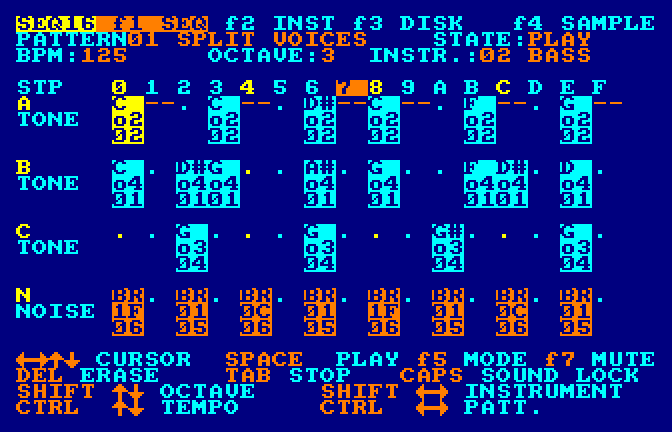
Features
4 voices
The three tone channels A, B, C of the AY-3-8912 sound chip, plus a noise voice N.
Patterns
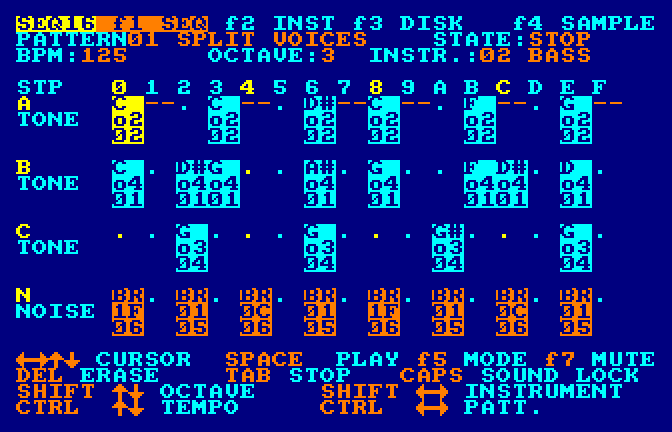
32 patterns of 16 steps: note, octave and instrument per step, tempo in BPM, playback followed on screen.
Instruments
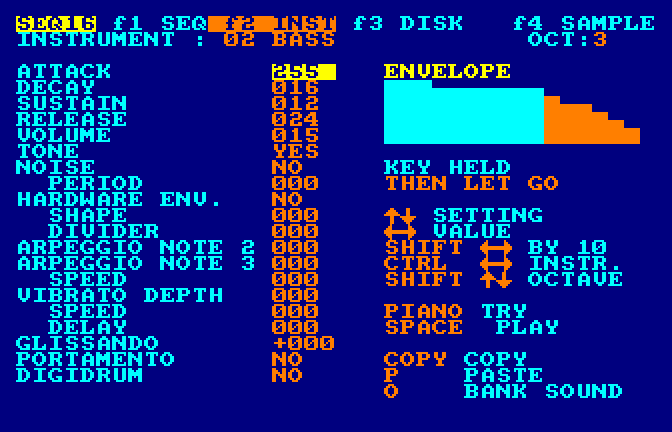
32 instruments: envelope drawn live, noise, hardware envelope, arpeggio, vibrato, glissando, portamento.
Layered sounds
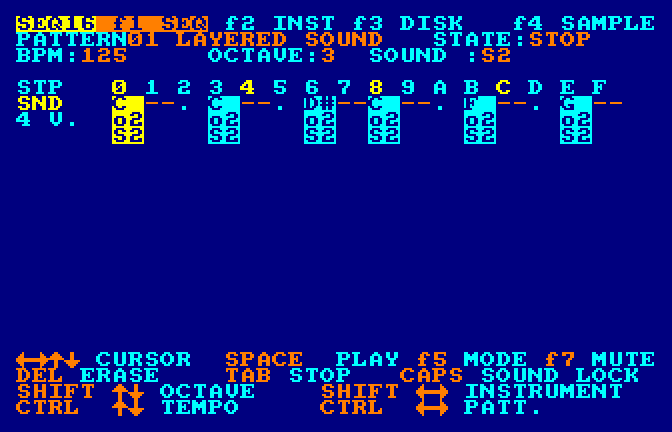
A single line plays a layered sound on all 4 voices at once (8 layered sounds).
Sampler
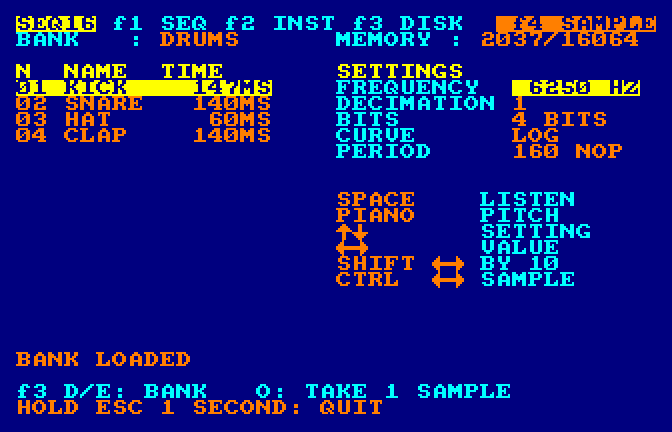
The f4 screen plays recorded sounds (drums, voices…) with live frequency, decimation, bits and curve.
Digidrums
Samples triggered on a step like a note, inside your songs.
Sound banks
13 instrument banks
.INS(416 sounds) and 9 sample banks.SMPon the disk.3 languages
English, French and Spanish disks: same program, same banks, same keys; only the on-screen texts change.
Real hardware
Runs on a real CPC 6128 with a Gotek drive (FlashFloppy or HxC firmware), or in any emulator.
Screens
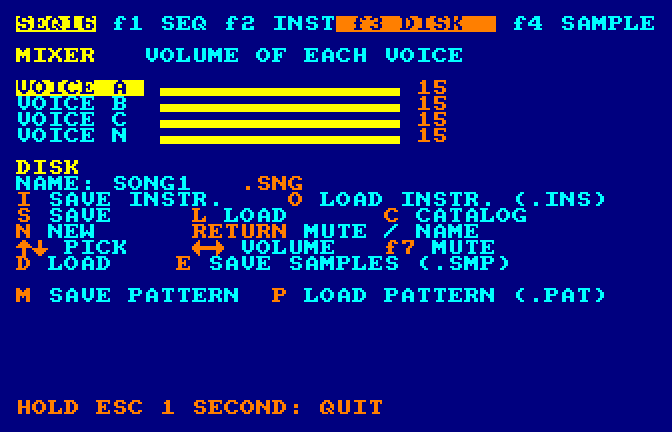
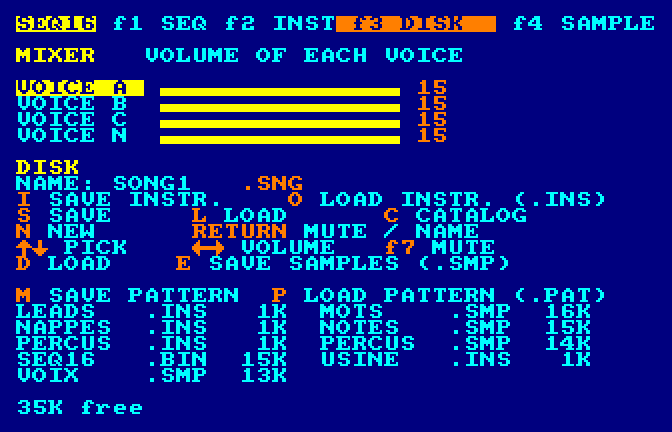
Four screens, picked with the function keys on the numeric keypad: f1 sequencer, f2 instrument, f3 mixer and disk, f4 sampler.
The screenshots show the English version (seq16-en.dsk); the French and Spanish disks show the same screens with their own labels.
Download
All disks are on the latest release page. Each .dsk image is a standard CPC disk.
| Disk | Contents |
|---|---|
seq16-en.dsk | SEQ-16 in English, with the 13 instrument banks and the 9 sample banks |
seq16-fr.dsk | SEQ-16 in French (version française), same banks |
seq16-es.dsk | SEQ-16 in Spanish (versión en español), same banks |
seq16-inst.dsk | banks only: the 13 instrument banks .INS (data disk, no program) |
seq16-samples.dsk | banks only: the 9 sample banks .SMP (data disk, no program) |
seq16-motifs-mono.dsk | 62 mono factory patterns (layered sound): riffs, arpeggios, basslines, jingles — load one with f3 P |
seq16-motifs-poly.dsk | 63 poly factory patterns (split voices): full grooves, drums, bass + drums — load one with f3 P |
Same program, same banks, same keys in the three languages: only the on-screen texts change. With a banks-only disk, swap disks, then load a bank (screen f3: O or D).
In an emulator
- Download
seq16-en.dsk. - Put the disk in an emulator (WinAPE, Caprice32, ACE-DL, RetroVirtualMachine…) set to CPC 6128.
- Type
RUN"SEQ16and press RETURN.
To quit, hold ESC for one second. A single press isn't enough, so you can't lose your work by mistake.
On a real CPC with a Gotek
Copy seq16-en.dsk to the USB stick of a Gotek drive (FlashFloppy or HxC firmware), then type RUN"SEQ16 on the CPC.
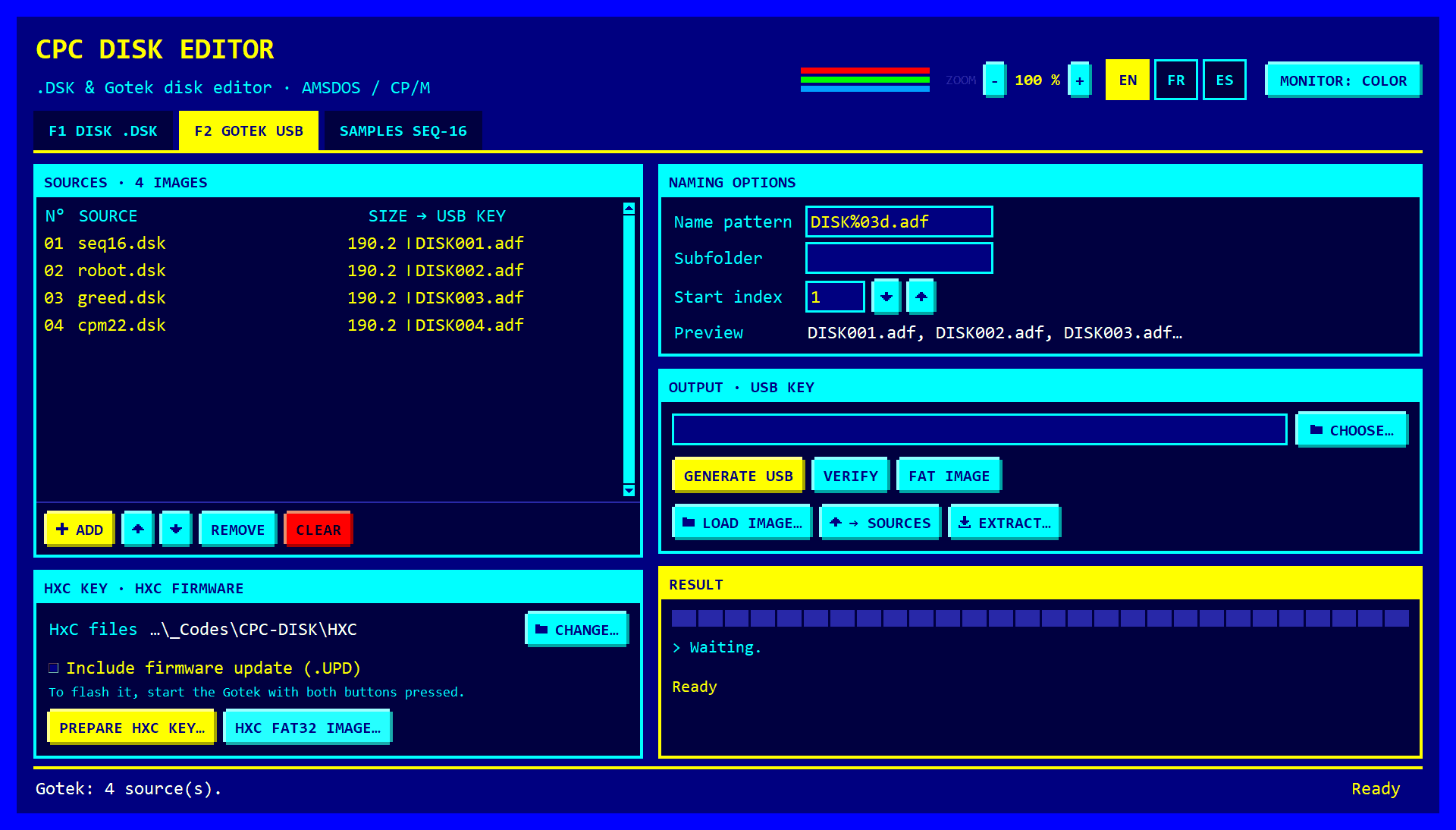
The companion tool CPC DISK prepares the Gotek's USB stick for you, including a key for the HxC firmware.
On PC: CPC DISK
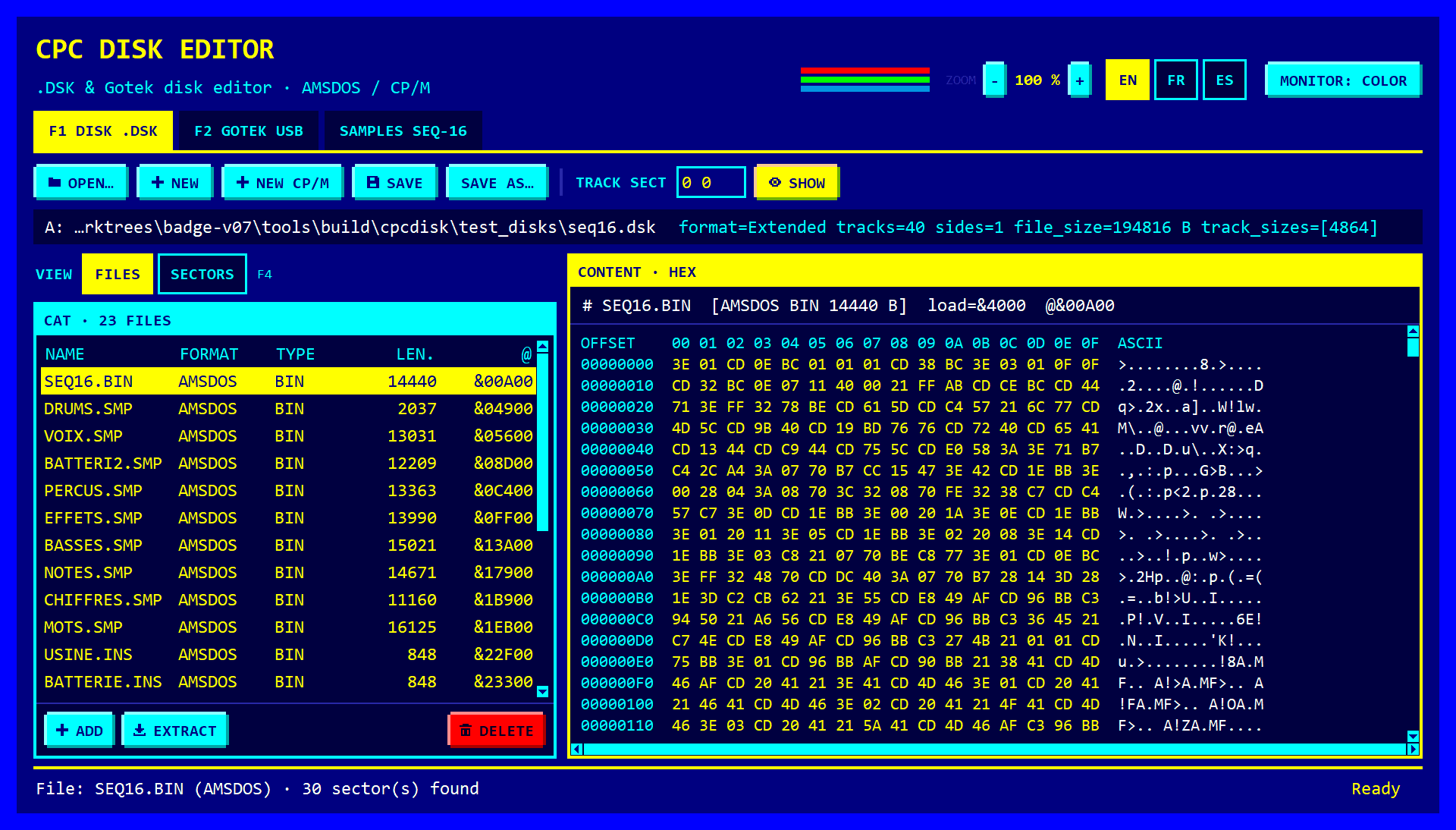
CPC DISK is the companion tool: a .dsk image editor that looks like a CPC screen, in pure Python, with no dependencies. Use it to:
- open
seq16-en.dskand browse its AMSDOS catalog; - get the
.SNGsongs saved on the disk, or add some; - prepare the Gotek's USB stick (FlashFloppy, or a key for the HxC firmware);
- make your own sample banks in its SAMPLES SEQ-16 tab.
Downloads on the CPC DISK release page: a Windows program (cpc-dsk-gui-1.2.0-windows-x64.exe) and a Linux binary.
Your own sample banks from WAV files
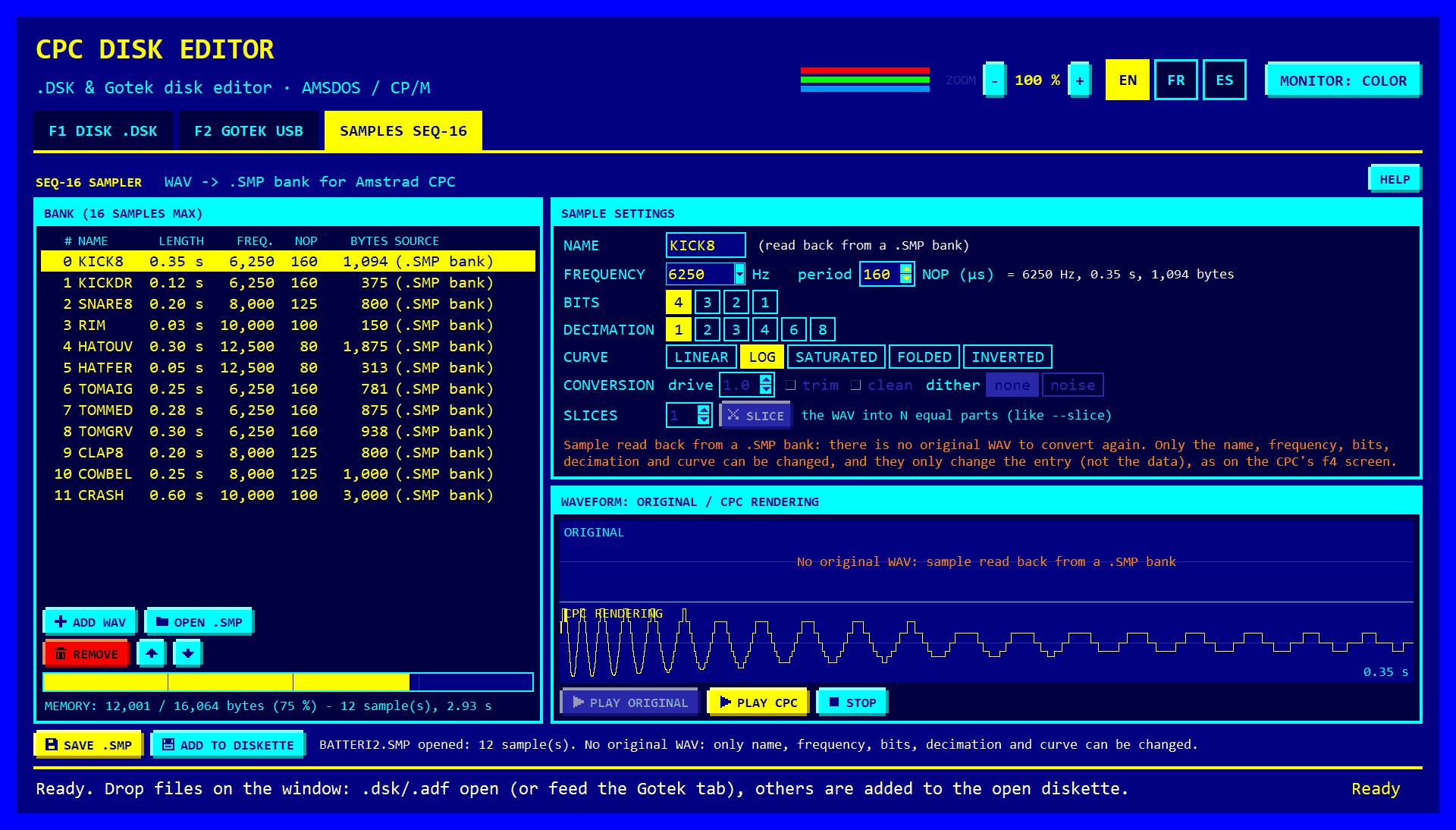
The SAMPLES SEQ-16 tab of CPC DISK (in English, French or Spanish) makes a .SMP bank from WAV files, with no command line:
- On the left, the list of samples (16 at most): add WAVs (Ctrl+W, several at once), open an existing
.SMPbank (Ctrl+O), remove, move up, move down. A gauge shows the space used out of the 16,064 bytes of CPC memory; it turns red if the bank is too big. - On the right, the settings of the chosen sample: name (6 characters), frequency, saturation, silence trimming, smoothing, dithering, bits, decimation, curve, slicing. The waveform shows the original at the top and the CPC rendering at the bottom.
- Listen to the original or the CPC rendering.
- Save .SMP (Ctrl+S), then Add to disk: the disk open in the Disk tab is offered directly.
For an opened .SMP bank there's no original WAV any more: you can change the name, frequency, bits, decimation and curve, but not the settings that require reconverting the sound.
Prefer the command line? tools/wav2smp.py (Python 3, standard library only) converts mono or stereo WAVs, 8 or 16 bits, at any sample rate:
python tools\wav2smp.py mavoix.wav --trim --rate 6250 -o samples\MAVOIX.SMP --dskIt also writes a preview WAV, so you can hear the result on the PC before copying the disk. Options and examples are in the README.
For developers
SEQ-16 is written in Z80 assembly and assembled with rasm. On Windows:
- Put
rasm.exeintools\. - Put the CPC DISK project next to this one: SEQ-16 uses its library (
cpc_dsk) to write disks.tools/cpcdisk.pyfinds it by itself (orpip install -e ../CPC-DISK, or theCPC_DISKenvironment variable). - Run
build.bat(needs Python 3): it assemblessrc/main.asmand buildsbuild\seq16.dsk,build\seq16-en.dskandbuild\seq16-es.dskwith all the banks.
_Codes/
├── CPC-SEQ-16/    this project
└── CPC-DISK/      the disk editor
Tests run the real program in a Z80 simulator:
pip install z80
python -m unittest discover -s tools -p "test_*.py"
Translations live in tools/lang.py; python tools/lang.py --check reports forgotten or too-long texts. Everything else (code layout, formats, roadmap) is in the repository README.
Acknowledgements
SEQ-16 and CPC DISK stand on the shoulders of these projects. Thank you!
Tools & libraries
- RASM — Z80 assembler by Édouard Bergé
- z80 — Z80 emulator for Python by Ivan Kosarev (runs the simulated CPC used by the tests)
- Ayumi — AY-3-8912 emulator by Peter Sovietov (MIT); its DAC volume table is used by the sample converter
- eSpeak NG — speech synthesis for the VOIX, CHIFFRES and MOTS sample banks
- Python & tkinter
- PyInstaller — Windows/Linux executables of CPC DISK
- pytest
- dosfstools — fsck.fat / mkfs.fat, reference for the FAT16/FAT32 writers and their tests
- Press Start 2P (CodeMan38), VT323 (Peter Hull) — fonts, SIL Open Font License 1.1
Documentation & references
- CPCWiki — CPC firmware, AY-3-8912, AMSDOS, DSK image format
- HxC2001 — HxC firmware for Gotek, file selector and docs; file selector sources
- FlashFloppy — Gotek firmware
- Design of the FAT file system
- Microsoft SHFormatDrive — Windows Format dialog
Emulators & disks used for testing
- WinAPE
- Internet Archive — real CPC disk images used as test disks in CPC DISK